

Pocket Shell
A real terminal for Android, done right.
What it does
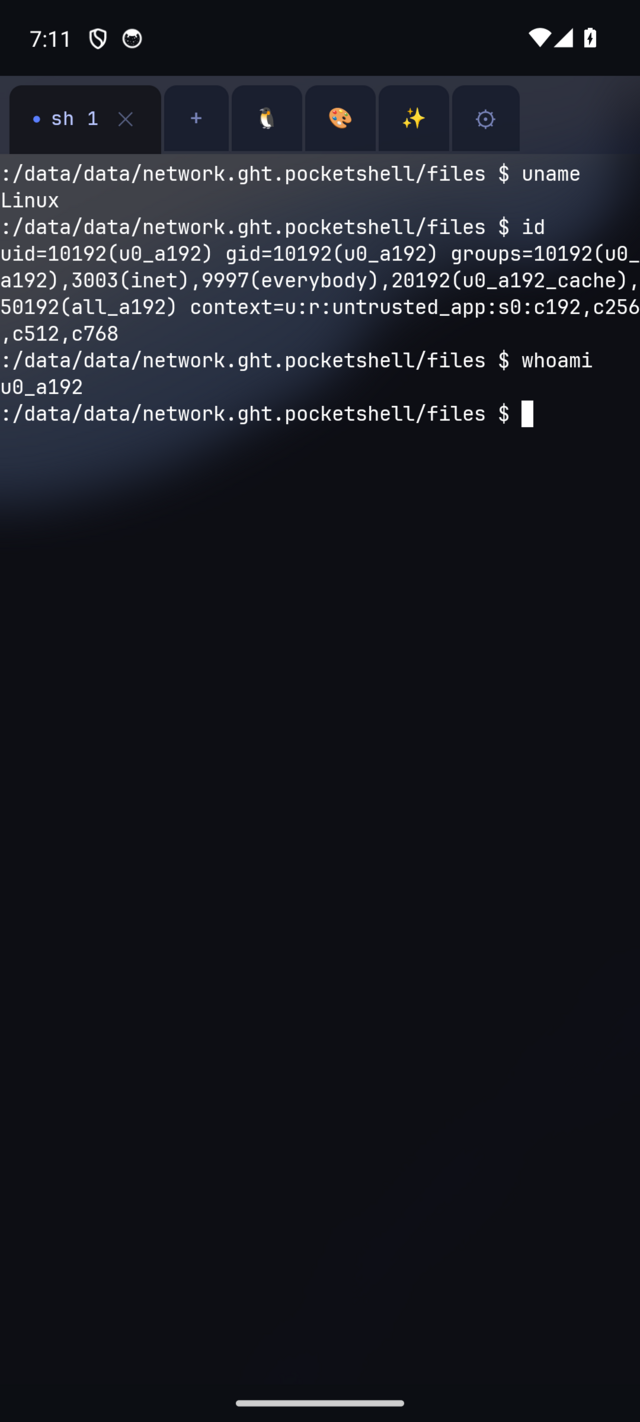
Pocket Shell pairs a real PTY-backed terminal with a modern Tab Rail multi-session UI and a Kali-style frosted-glass look, so it feels like a native app instead of a 1990s console bolted onto a phone. Switch between live shells instantly, pinch to zoom the font, and use on-screen ESC/TAB/CTRL and a Ctrl-combo pad for keys phones don’t have.
Tap the Linux tab to install a proot-mounted Alpine or Ubuntu userland on first use. It’s a one-time, sha256-verified download, and after that apk or apt, python, git, and ssh all just work. Five color themes ship out of the box, and an AI copilot bar turns plain English into shell commands and can explain your last command’s output. Bring your own Anthropic key; nothing is billed through Glass House.
Sessions survive being backgrounded and even a full app kill. Force-stop Pocket Shell mid-session and reopen it: every tab comes back with its scrollback replayed under a clear "session restored" marker, so your history is never just gone.
- Real PTY — vim, ssh, htop
- Alpine & Ubuntu userland
- Free & open source (GPLv3)
See it in action
A look at Pocket Shell. Click any screen to enlarge.
Built for the job
Real PTY terminal
vim, ssh, htop, less, and tab-completion all work, built on Termux’s proven terminal-view engine.
Tab Rail
Multiple live shells in one window, switch instantly, no swipe-drawer.
Linux userland
Install Alpine or Ubuntu via a sha256-pinned proot rootfs, real apk/apt, python, git, ssh.
Five color themes
Kali-style default, Dracula, Solarized Dark, Nord, and Gruvbox Dark, applied live and persisted.
AI copilot
Natural language to shell command, plus "explain last output" — bring your own Anthropic API key.
Session persistence
Backgrounding or a full app kill won’t lose your work; tabs and scrollback come back on relaunch.
Pocket Shell: A real terminal for Android, done right.
Tell us what you’re trying to build and we’ll get you set up, or point you to the right download.